Using the Dashboard FOH
Front Of House
Member Management
Sep 11, 2025
•
0 views
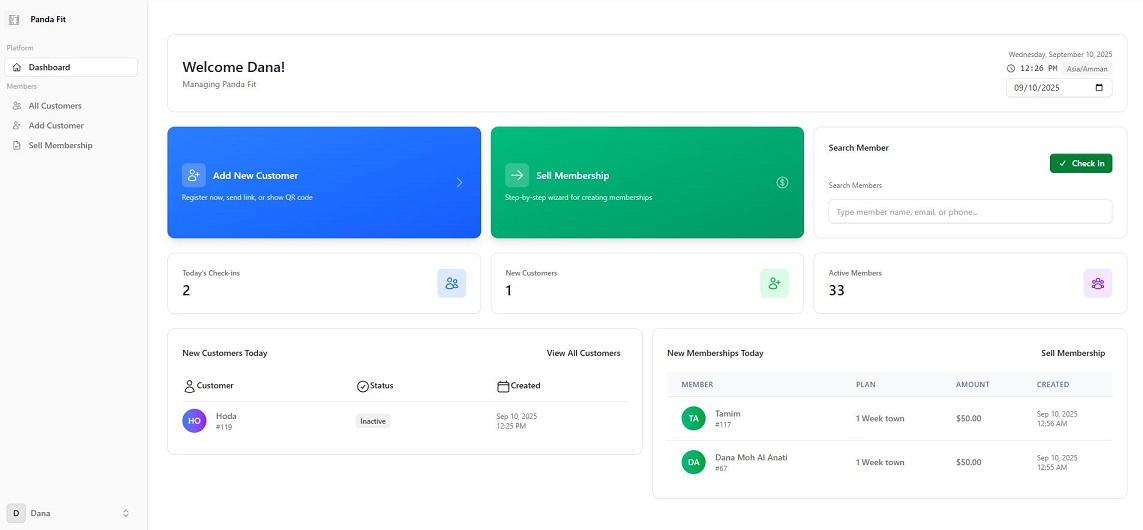
This page is designed to be simple and practical for receptionists. It includes most of the daily tasks they need to handle at the front desk.
From the dashboard, receptionists can:
• Add a new customer:
There are three ways to register a new client
There are three ways to register a new client
1. The receptionist can add the customer directly.
2. Send the customer a registration link by email or SMS.
3. The customer can scan a QR code and complete the registration form.
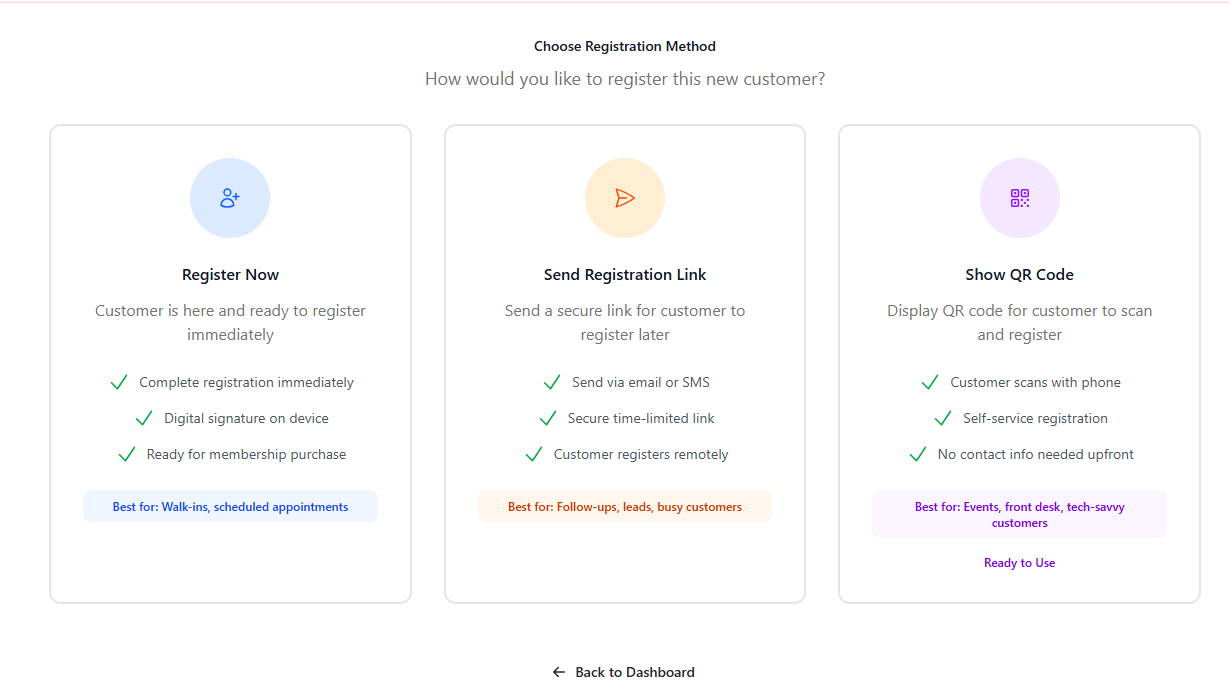
Once the customer completes the registration and verifies their account, their information will automatically appear in the receptionist’s dashboard.
• Sell memberships in a step-by-step way, whether it’s creating a new membership or renewing an existing one.
• Search for members by name, email, or phone number, and easily check them in when they arrive.
• Track new customers created today, so they know who joined recently.
• Track memberships sold today to stay updated on daily sales.
• See the number of active members, along with their membership plan and the expiry date.
This makes it much easier for receptionists to manage members, sales, and attendance from one simple page.
Available in: